
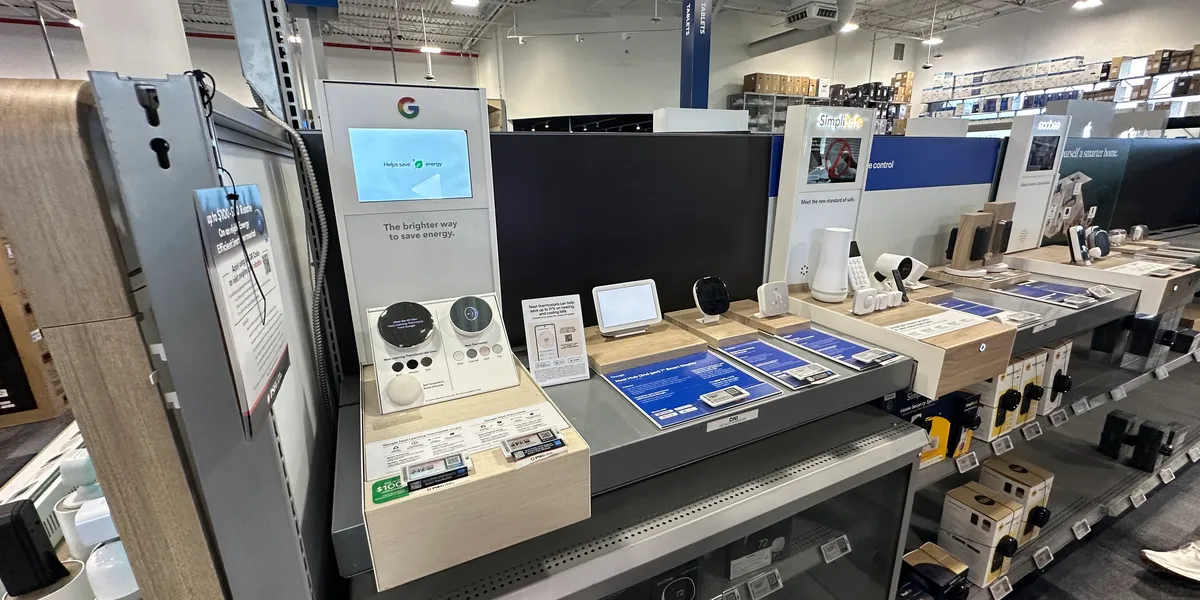
Buying tech should be easier than it is.
You open a product page looking for a new phone, laptop, camera, smartwatch or smart home device, and within minutes you are staring at processor names, refresh rates, megapixels, AI features, battery claims and acronyms you may never need to understand.
Everything sounds impressive.
Everything is “faster.”
Everything is “smarter.”
Everything is supposedly a major upgrade.
But technical specifications only tell part of the story.
A device can look excellent on paper and still be frustrating to use every day. Another product with less impressive numbers may quietly be the better choice because it is more comfortable, reliable or practical.
Before spending your money, here are 12 things worth considering that specification sheets rarely explain properly.
1. Better Specifications Do Not Automatically Mean a Better Product
Tech companies love numbers because numbers are easy to compare.
More RAM.
More megapixels.
More cores.
Higher refresh rates.
Faster charging.
Bigger batteries.
The problem is that individual specifications do not tell you how well the entire product works together.
A smartphone with a huge camera sensor may still produce disappointing photos if its software processing is poor.
A laptop with a powerful processor may perform badly under sustained workloads if its cooling system cannot handle the heat.
A smartwatch may promise dozens of health features but become annoying if you need to charge it constantly.
Specifications matter.
They just need context.
Instead of asking:
Which product has the biggest number?
Ask:
Will I actually notice the difference in the way I use it?
That is usually the more useful question.
2. Think About Your Actual Use Case First
One of the easiest ways to overspend on technology is to shop for what a product can do rather than what you need it to do.
Suppose you are buying a laptop.
Do you mainly:
- Browse the web?
- Write documents?
- Attend video calls?
- Edit photos?
- Edit 4K video?
- Play demanding games?
- Run professional engineering software?
Those users may need completely different machines.
Someone who mainly works in a browser probably does not need the same hardware as a professional video editor.
The same principle applies to almost every technology category.
Before comparing products, write down the three or four things you will actually do with the device most often.
Use those tasks to guide the purchase.
3. Battery Life Claims Need Real-World Context
Battery specifications can be particularly misleading.
Manufacturers often test devices under carefully controlled conditions.
Real life is different.
You may have:
- High screen brightness
- Multiple apps running
- Bluetooth accessories connected
- GPS enabled
- Mobile data active
- Video calls throughout the day
- Background syncing
- High-performance modes enabled
All of these can affect battery life.
A claimed “all-day battery” therefore tells you much less than you might expect.
When researching a device, look for real-world tests based on normal mixed usage.
Ask how long the product lasts when used the way you intend to use it.
That matters far more than the biggest battery number on the box.
4. Comfort Is a Technical Feature Too
Comfort rarely gets enough attention in tech reviews.
Yet it can completely determine whether you enjoy using a product.
Consider headphones.
Audio quality may be excellent, but what happens after two hours?
Do they create pressure around your ears?
Do they become hot?
Does the headband hurt?
The same applies to:
- Smartwatches
- VR and AR headsets
- Gaming controllers
- Computer mice
- Keyboards
- Camera grips
- Earbuds
- Laptops
A device that touches your body for hours needs to be comfortable.
Ergonomics may never look as exciting in an advertisement as processor performance, but in everyday use it can matter much more.
5. Software Can Make or Break Great Hardware
Hardware gets most of the attention because it is easy to photograph and advertise.
Software often determines whether that hardware is enjoyable.
A smart home camera might have excellent image quality but an unreliable app.
A printer might produce great documents but make wireless setup unnecessarily difficult.
A camera can have impressive autofocus hardware but bury important controls inside confusing menus.
Before buying, investigate the software experience.
Look at:
- App quality
- Menu design
- Setup process
- Update history
- Compatibility
- Account requirements
- Subscription requirements
- Reliability
Great hardware attached to frustrating software is still a frustrating product.
6. Pay Attention to What Happens After the First Year
Many reviews focus on how a device performs when it is brand new.
You should also think about what ownership looks like later.
Will the manufacturer continue providing software updates?
Can the battery be replaced?
Are accessories readily available?
Can damaged parts be repaired?
Is customer support useful?
Does the product depend on cloud services that could disappear?
This is particularly important for expensive products.
A device that costs slightly more but remains useful for five years may offer much better value than something cheaper that becomes difficult to maintain after two.
7. Ecosystem Lock-In Is Real
Technology products increasingly work best when used with other products from the same company.
That can be convenient.
Your phone connects seamlessly to your laptop.
Your earbuds switch automatically between devices.
Your smartwatch shares health information with your phone.
But convenience can gradually become dependence.
Before entering a new ecosystem, consider:
- Can I move my data elsewhere?
- Do accessories work with other brands?
- Are important features restricted?
- Will switching later be expensive?
- Does the product require other devices to work properly?
There is nothing inherently wrong with choosing an ecosystem.
Just understand the long-term implications before investing heavily in it.
8. The Cheapest Product Can Become Expensive
Price should not be viewed only at checkout.
Consider total ownership cost.
A cheap printer may require expensive ink.
An inexpensive security camera may require a monthly subscription.
A low-cost laptop may have very limited storage that forces you to buy external drives.
A smart device might require a paid service to unlock features you assumed were included.
Before purchasing, check whether the product has ongoing costs such as:
- Subscriptions
- Replacement filters
- Cloud storage
- Proprietary accessories
- Batteries
- Consumables
- Maintenance
The true cost of technology is often much higher than the number printed on the shelf.
9. Expensive Does Not Automatically Mean Premium
The opposite mistake happens too.
Some buyers assume a higher price guarantees a significantly better experience.
Sometimes it does.
Sometimes you are paying for:
- Brand prestige
- Premium materials
- Niche features
- Small performance improvements
- Early-adopter technology
- Design
There is nothing wrong with paying for these things if you value them.
But make sure you know what the additional money is actually buying.
The difference between a $500 product and a $1,000 product may be dramatic.
The difference between a $1,000 product and a $1,800 model may be far smaller for the average user.
This is where value becomes more important than absolute performance.
10. First-Generation Technology Comes With Risk
New technology can be exciting.
It can also be expensive, unfinished and occasionally confusing.
First-generation devices often introduce ideas that improve significantly in later versions.
Early buyers may deal with:
- Limited software
- Short battery life
- Compatibility problems
- Missing features
- High prices
- Few accessories
- Experimental user interfaces
That does not mean you should never buy new technology.
Enthusiasts may genuinely enjoy being early adopters.
But if you simply want a reliable tool, waiting for a second or third generation can often be the smarter decision.
11. Real-World Performance Matters More Than Benchmarks
Benchmarks are useful for comparing hardware under standardized conditions.
They are not the same as using a device.
A processor may score extremely well in a short test but throttle during longer workloads.
A phone may achieve impressive charging speeds but become noticeably hot.
A camera may shoot extremely fast bursts but fill its buffer quickly.
A laptop may offer excellent peak performance while producing distracting fan noise.
Benchmarks should be one piece of evidence.
They should not replace real-world testing.
Whenever possible, look for reviews that answer practical questions.
How does the device behave after several hours?
How does it perform outdoors?
What happens when it gets hot?
How reliable is the connection?
What annoyances appear after weeks rather than minutes?
That is where product quality often becomes much clearer.
12. Ask Whether You Need to Upgrade at All
This might be the most important question in tech shopping.
Do you actually need something new?
Technology marketing constantly encourages replacement.
Your current phone is two generations old.
Your laptop is not using the newest processor.
Your camera lacks the latest autofocus feature.
But if your existing device still performs the tasks you need, an upgrade may deliver surprisingly little benefit.
Before replacing something, identify the problem.
Is your battery failing?
Are applications genuinely too slow?
Do you need a feature your current device cannot provide?
Is repair no longer economical?
If you cannot clearly explain what problem the upgrade solves, waiting may be the smarter choice.
How to Compare Two Tech Products Properly
When choosing between similar devices, avoid comparing every specification.
Instead, create a short list based on what matters to you.
For example, when comparing laptops you might prioritize:
- Battery life
- Keyboard comfort
- Screen quality
- Weight
- Performance
- Ports
- Repairability
- Price
Someone else may put gaming performance at the top and battery life near the bottom.
There is no universal ranking.
Your priorities determine which product is better.
Smartphone Buying: Focus on the Experience
Smartphone marketing often revolves around cameras, processors and displays.
Those things matter, but most people should also think about:
- Battery reliability
- Software support
- Camera consistency
- Storage
- Charging
- Size and weight
- Repair options
- Compatibility with accessories
- Cellular performance
A phone that takes slightly better benchmark scores but constantly needs charging may not be the better phone for you.
Similarly, owning the most powerful mobile processor does not matter much if your primary activities are messaging, browsing and photography.
Laptop Buying: Do Not Ignore the Basics
Laptop specifications can become complicated quickly.
But basic usability matters every single day.
Pay attention to:
Keyboard
You may type on it for thousands of hours.
Trackpad
A poor trackpad becomes frustrating immediately.
Display
Resolution is only one factor. Brightness, color, reflections and viewing comfort matter too.
Ports
A thin laptop may look beautiful until you need three adapters.
Fan Noise
Performance is less enjoyable if your computer sounds like it is preparing for takeoff.
Webcam and Microphone
Remote workers may use these constantly.
The fastest laptop is not automatically the best laptop.
Camera Gear: Do Not Chase Megapixels
Photography equipment is another category where headline specifications can become distracting.
More megapixels can be useful for certain applications.
But image quality also depends on:
- Sensor performance
- Lens quality
- Autofocus
- Dynamic range
- Stabilization
- Processing
- Ergonomics
And perhaps most importantly:
Will you actually carry the camera?
A technically superior camera sitting at home is less useful than a smaller system you enjoy taking everywhere.
Smart Home Devices: Reliability Comes First
Smart home technology should make life easier.
Unfortunately, some products create more problems than they solve.
Before buying, ask:
- Does it work without internet access?
- What happens if the company’s servers go down?
- Does it require a subscription?
- Can multiple family members use it?
- Does it integrate with your existing platform?
- How difficult is setup?
- Are automations reliable?
A smart light that fails to turn on is worse than a normal light switch.
Reliability should be one of the most important features in any smart home purchase.
AI Features: Separate Useful Tools From Marketing
AI has become one of the most heavily marketed terms in technology.
Some AI-powered features are genuinely useful.
Others seem to exist primarily because companies want “AI” printed somewhere on the product page.
When evaluating an AI feature, ask:
Does this save me meaningful time or improve the result?
A useful AI feature might:
- Organize information
- Remove repetitive work
- Improve accessibility
- Assist with editing
- Automate routine tasks
A feature is less valuable if you try it once, show it to a friend and never open it again.
Technology should solve problems, not simply provide demonstrations.
Reviews Should Explain the Bad Parts Too
A useful technology review should not read like an advertisement.
Every product has compromises.
The job of a reviewer is not to declare everything “amazing.”
It is to explain:
- What works
- What does not
- Who should buy it
- Who should avoid it
- What alternatives make sense
Sometimes the best conclusion is that an expensive product is excellent but unnecessary for most people.
Sometimes a cheaper product has obvious flaws but still represents better value.
Context matters more than hype.
Test the Features That Matter in Real Life
At TechFinderLab, we believe products should be evaluated where people actually use them.
A rugged device should be tested outside.
A travel charger should travel.
A camera should leave the studio.
A battery pack should be used on a real trip.
A laptop should survive an actual workday.
Technical specifications provide useful information, but they cannot tell you everything.
Real use reveals:
- Unexpected annoyances
- Comfort issues
- Reliability problems
- Battery behavior
- Software frustrations
- Features that turn out to be genuinely useful
Those are often the details that determine whether you love or regret a purchase.
The Best Tech Is Not Always the Newest Tech
Technology moves quickly, but your needs may not.
Last year’s flagship phone may still be excellent.
A previous-generation laptop may handle your workload perfectly.
A slightly older camera may provide everything you need at a much lower price.
Buying one generation behind can often be one of the best ways to maximize value.
The newest product usually commands the highest price precisely when discounts are least available.
Patience can be expensive for tech companies.
It can be profitable for buyers.
Buy for Your Real Life, Not the Product Demo
A great technology purchase should disappear into your routine.
It should do its job reliably without constantly reminding you how technically impressive it is.
That is the standard worth aiming for.
Ignore features you will never use.
Question impressive numbers.
Look beyond launch-day excitement.
Think about long-term ownership.
And most importantly, buy according to your own needs rather than someone else’s definition of the “best.”
At TechFinderLab, that is what we believe good tech reviews should help you do.
The goal is not to convince you to buy more technology.
It is to help you buy the right technology when you actually need it.